

Build a Personal Knowledge Base with DeepSeek V3 and Obsidian
Learn how to build a personal knowledge base with DeepSeek V3 and Obsidian, so you can ask questions about your notes and have AI organize and summarize them.
I am a heavy Obsidian user. I write notes about my daily development work and often use the Obsidian Web Clipper plugin to save web pages as notes. Although Cursor can open an Obsidian vault directly for Q&A, that workflow feels a little awkward, so I normally use Cursor only while programming. With DeepSeek gaining popularity recently, I decided to build a personal knowledge base with DeepSeek and Obsidian.
1. Get a DeepSeek API Key
When I wrote this article, DeepSeek's official API had not yet returned to stable service. Fortunately, SiliconFlow had launched a hosted DeepSeek V3 model and was running a promotion: new accounts received ¥14 in credit, and both referrer and invitee received 20 million tokens. You could use SiliconFlow instead; here is my referral link.
https://cloud.siliconflow.cn/i/Czl0sFzp
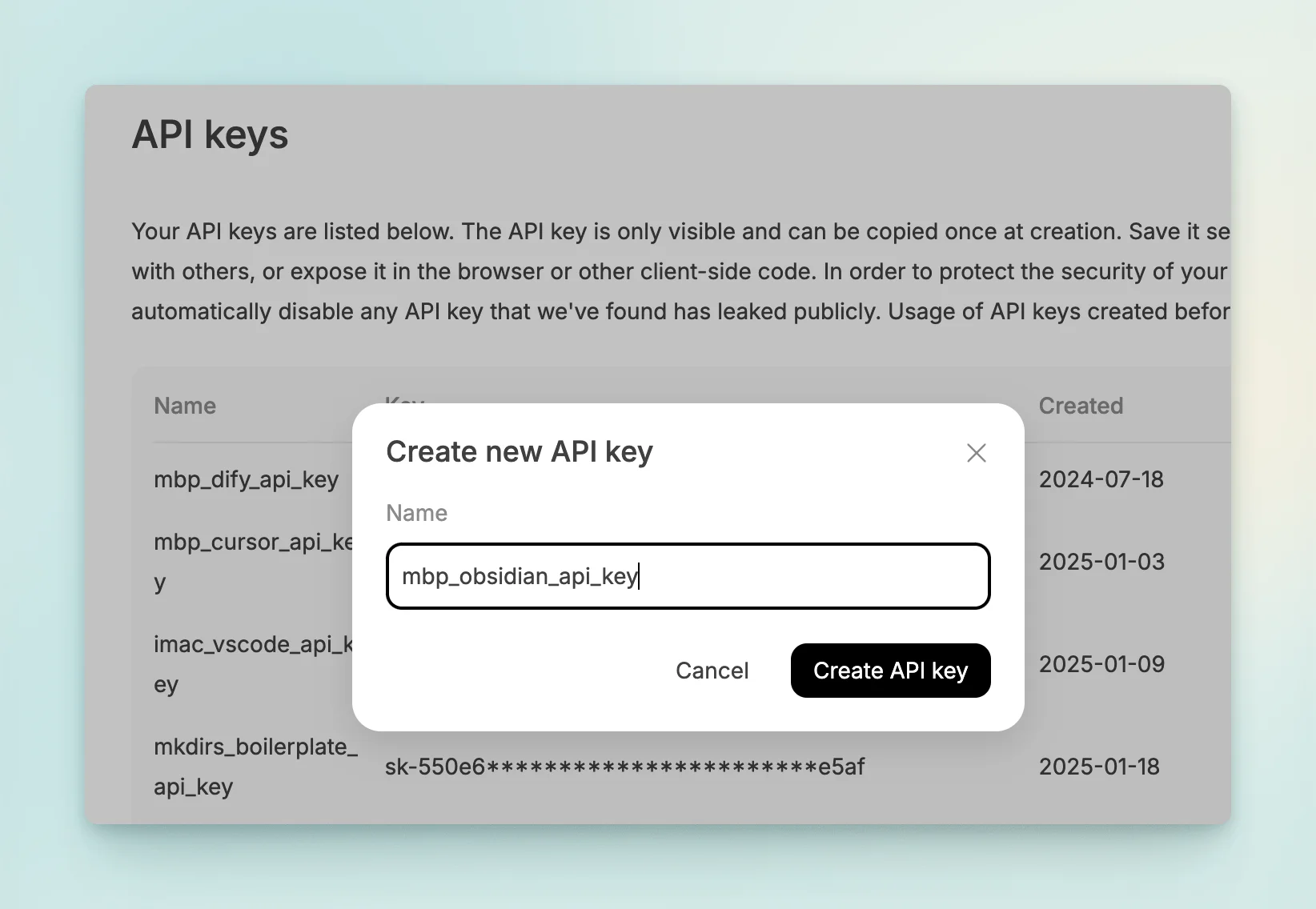
After registering, create an API key. You will use it to call the model.
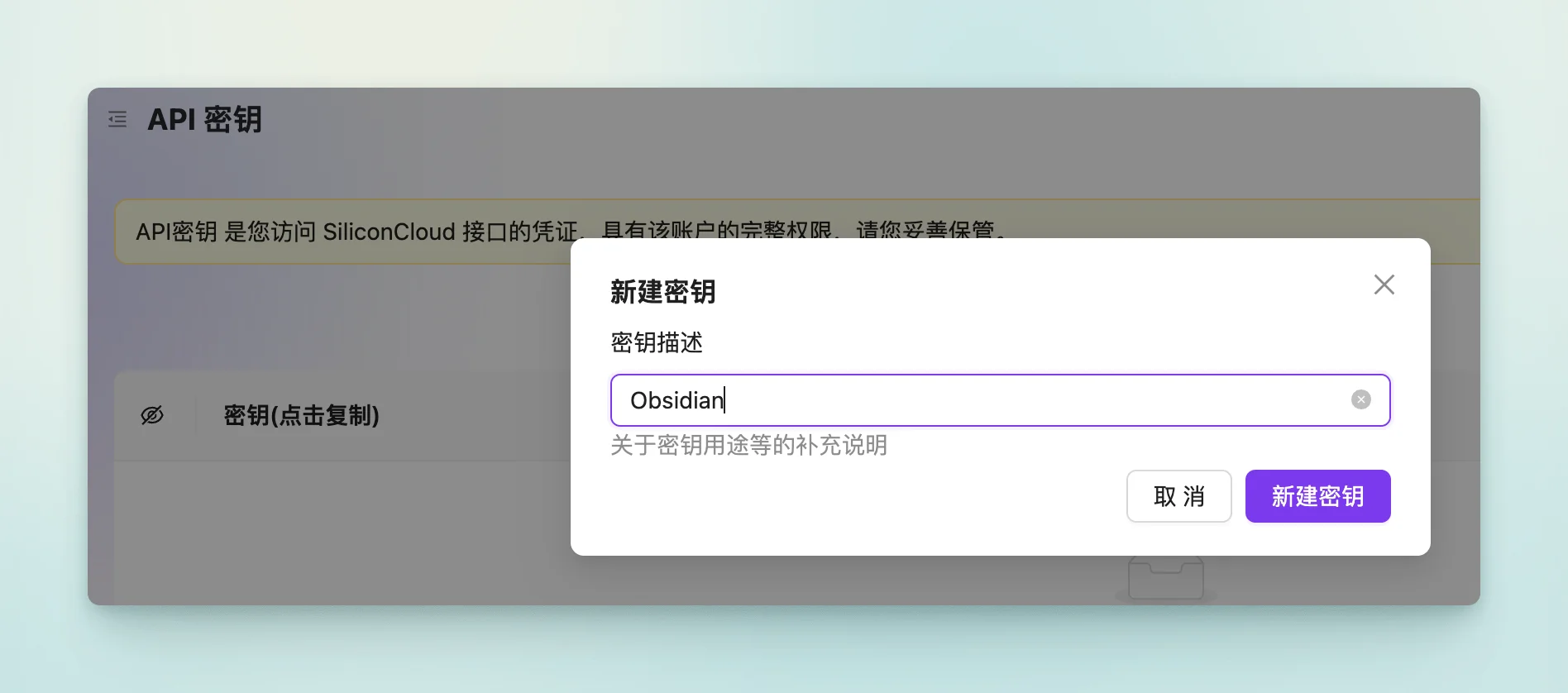
Now that DeepSeek's official service has recovered, you can register with DeepSeek directly and create an API key there instead of using SiliconFlow.
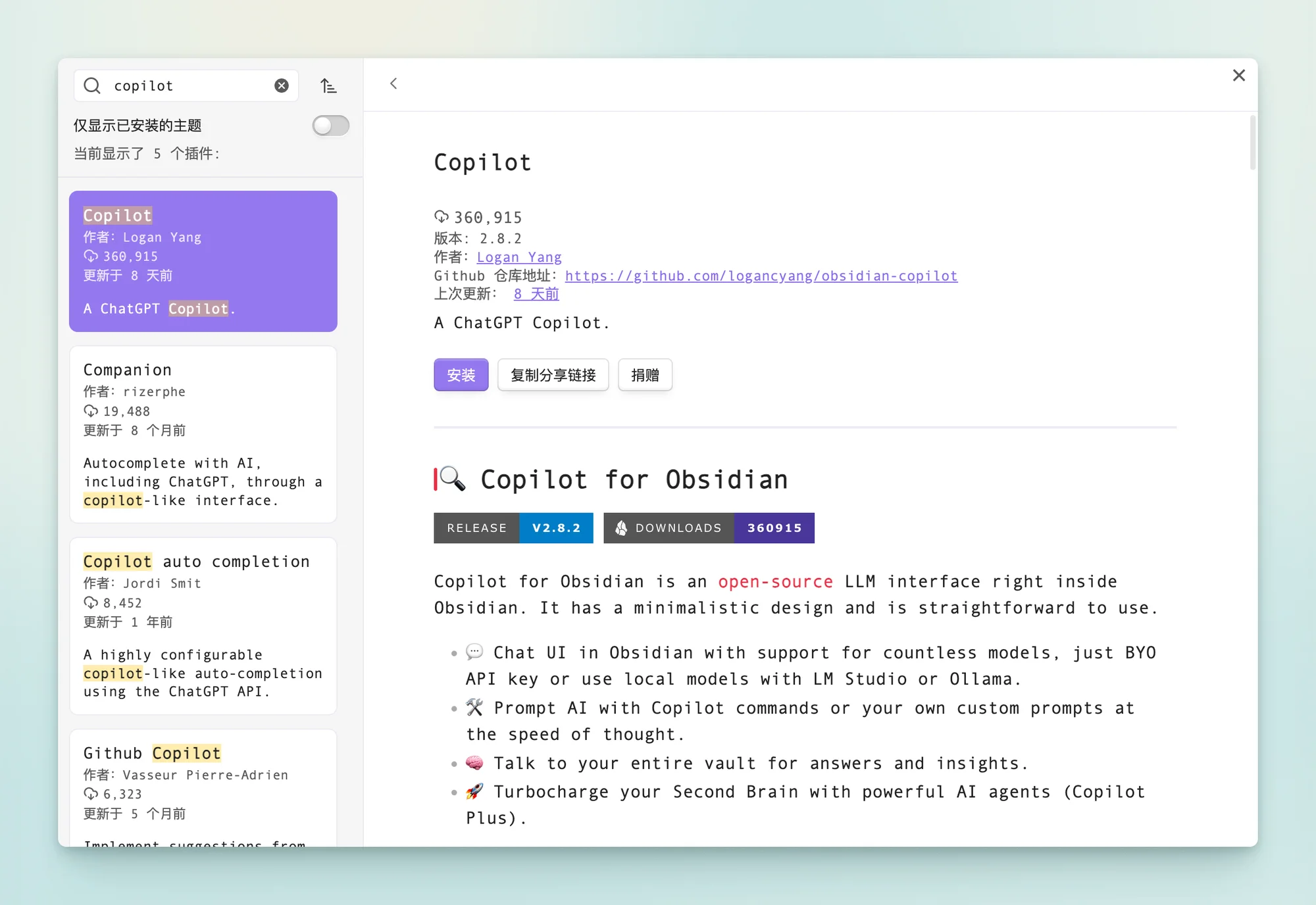
2. Find and Install Copilot from the Obsidian Plugin Marketplace
Copilot is a plugin that provides chat-based Q&A over an Obsidian vault.
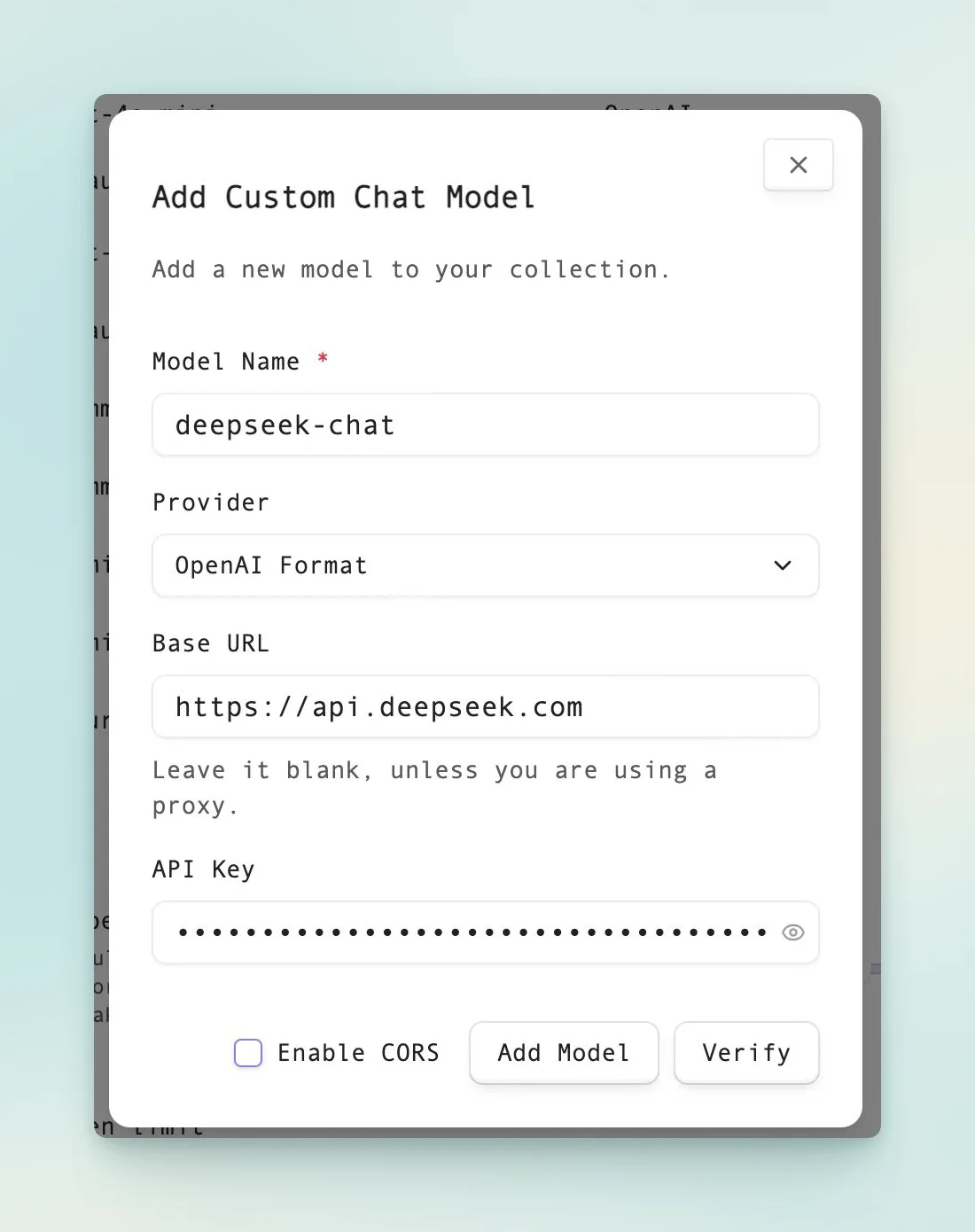
3. Add the DeepSeek-V3 model to Copilot’s Chat Models
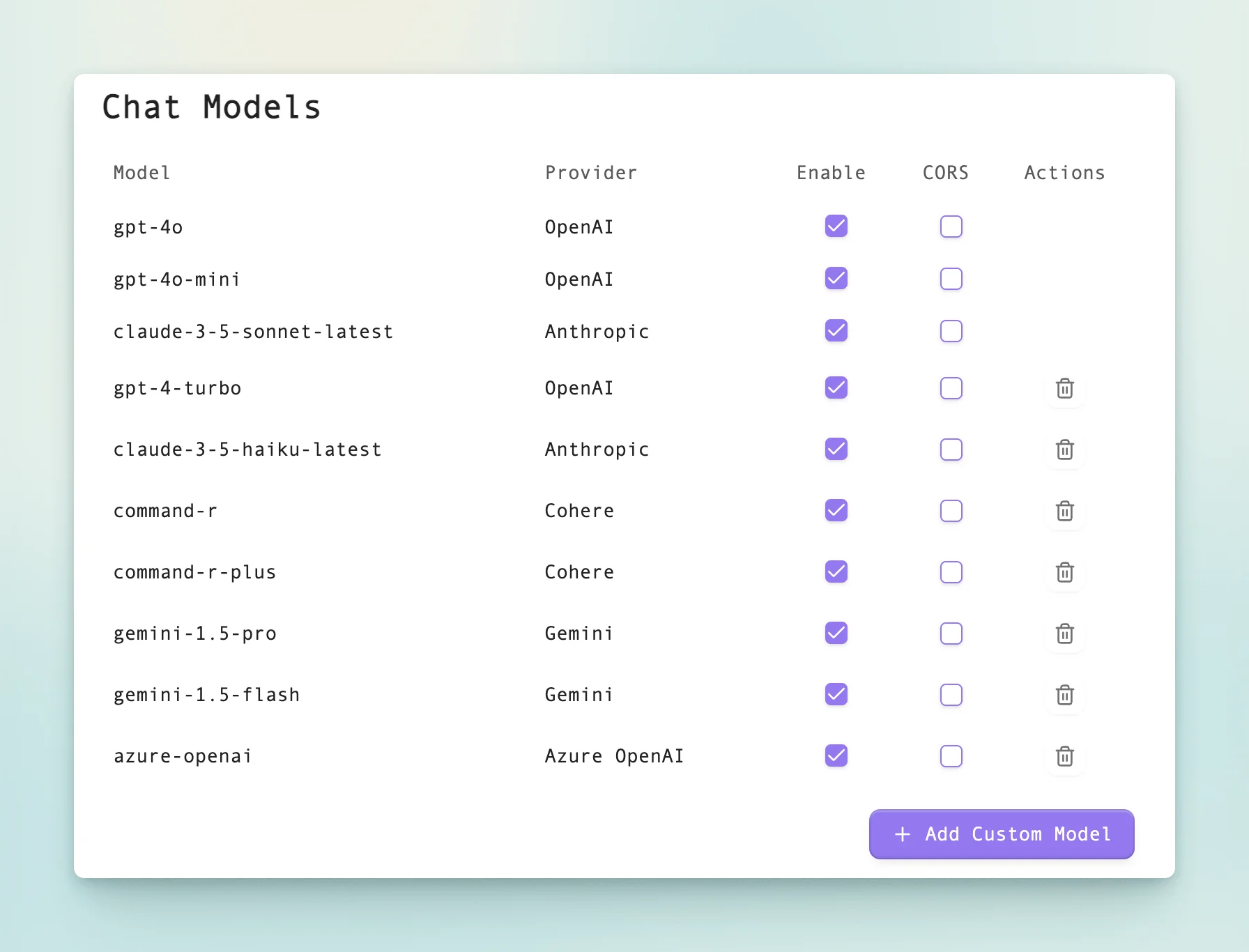
Use the following settings: select deepseek-chat as the model, set the URL to https://api.deepseek.com, and enter the API key you created above.
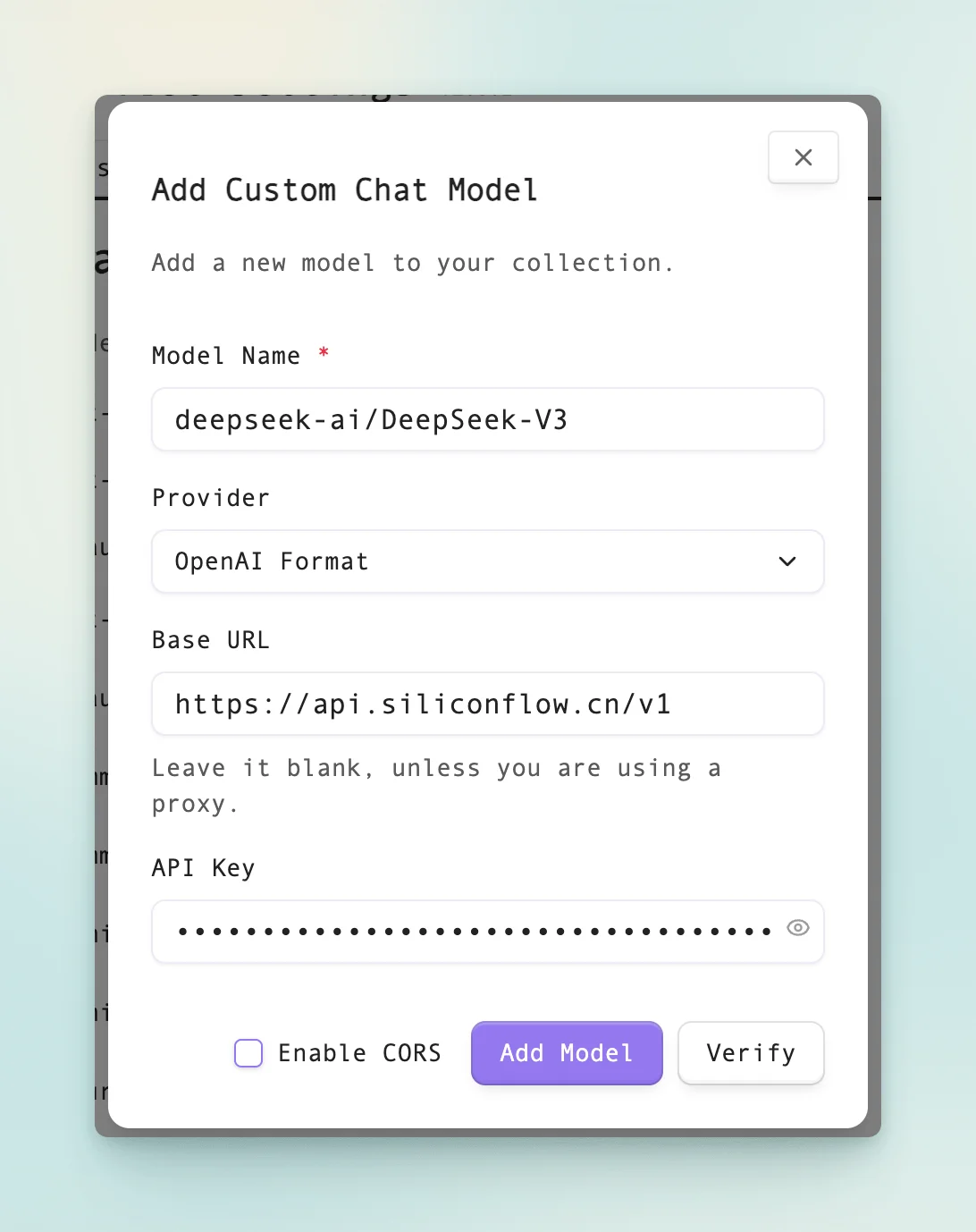
If you choose DeepSeek through SiliconFlow, use the settings below: select deepseek-ai/DeepSeek-V3 as the model, set the URL to https://api.siliconflow.cn/v1, and enter the API key you created above.
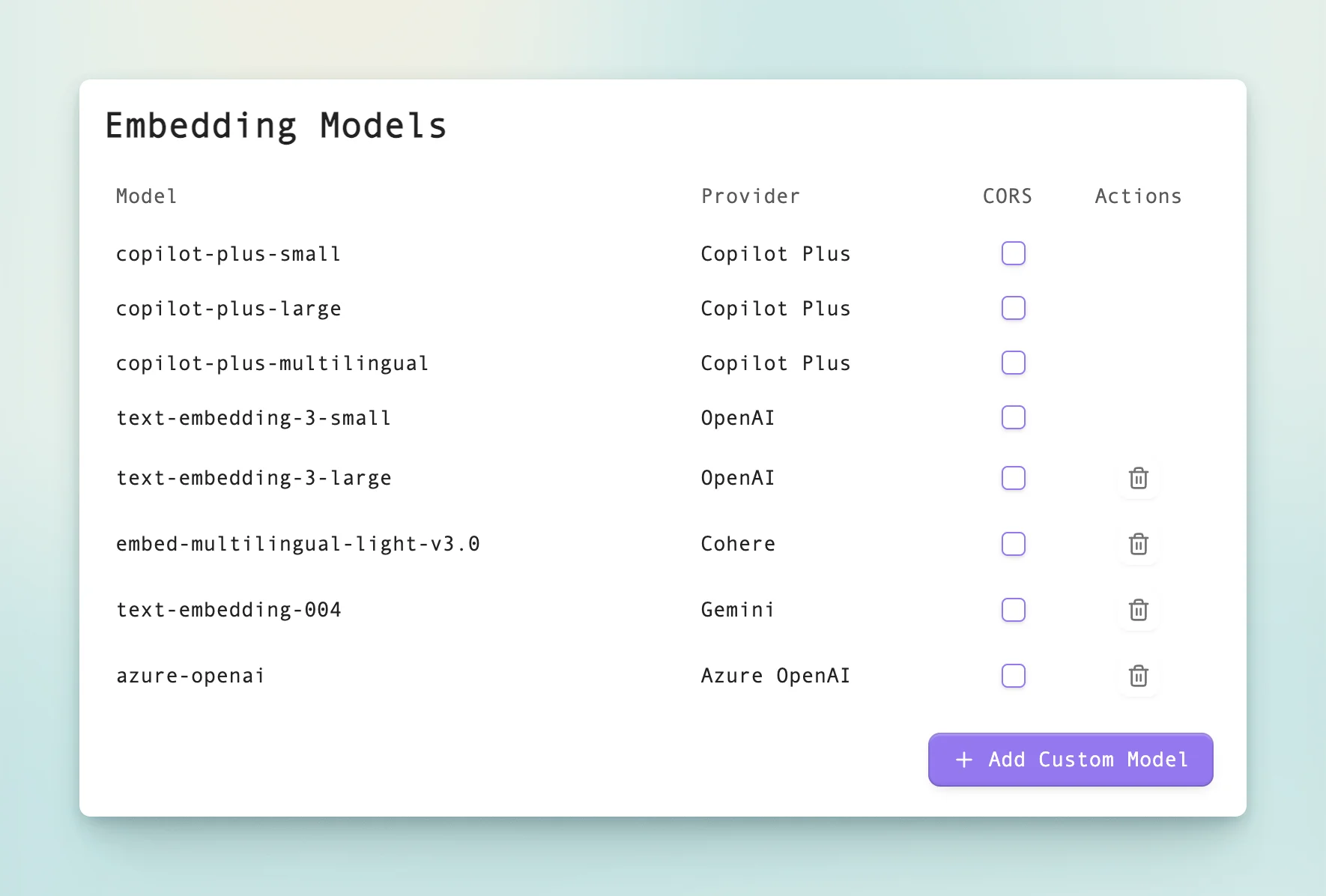
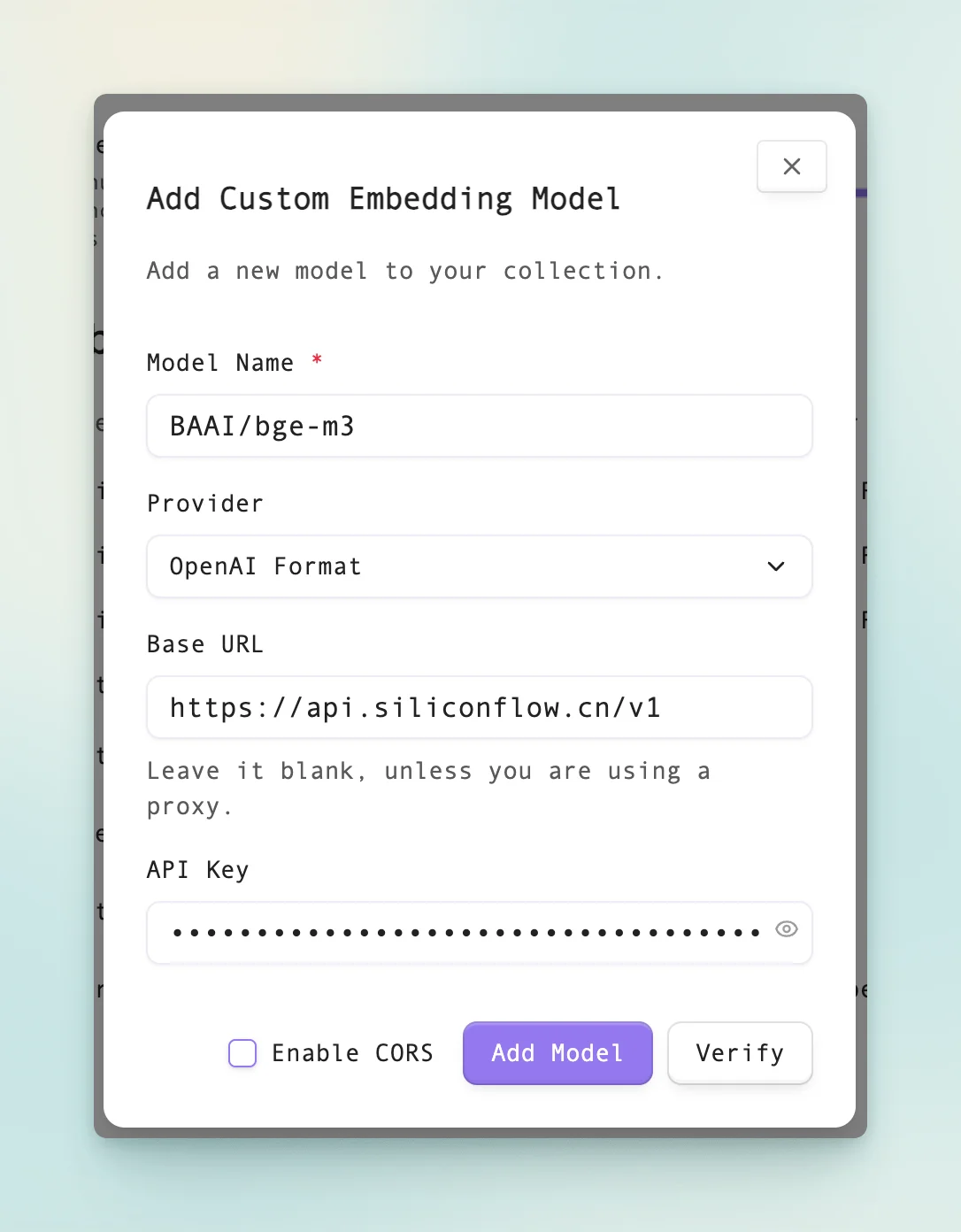
4. Add the BAAI/bge-m3 model to Copilot’s Embedding Models
This model is free. Configure it the same way as the SiliconFlow DeepSeek model above, changing only the model name; keep the other settings unchanged and use your SiliconFlow API key.
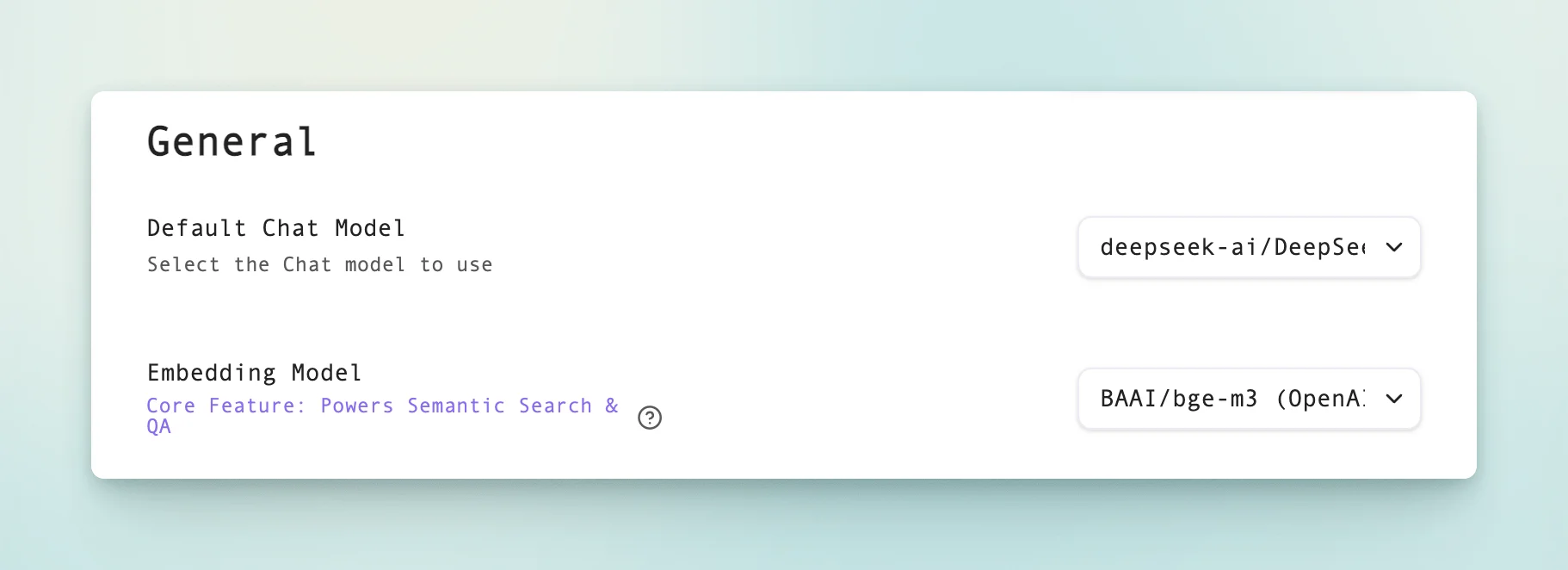
5. Enable and set the default Chat Model and Embedding Model
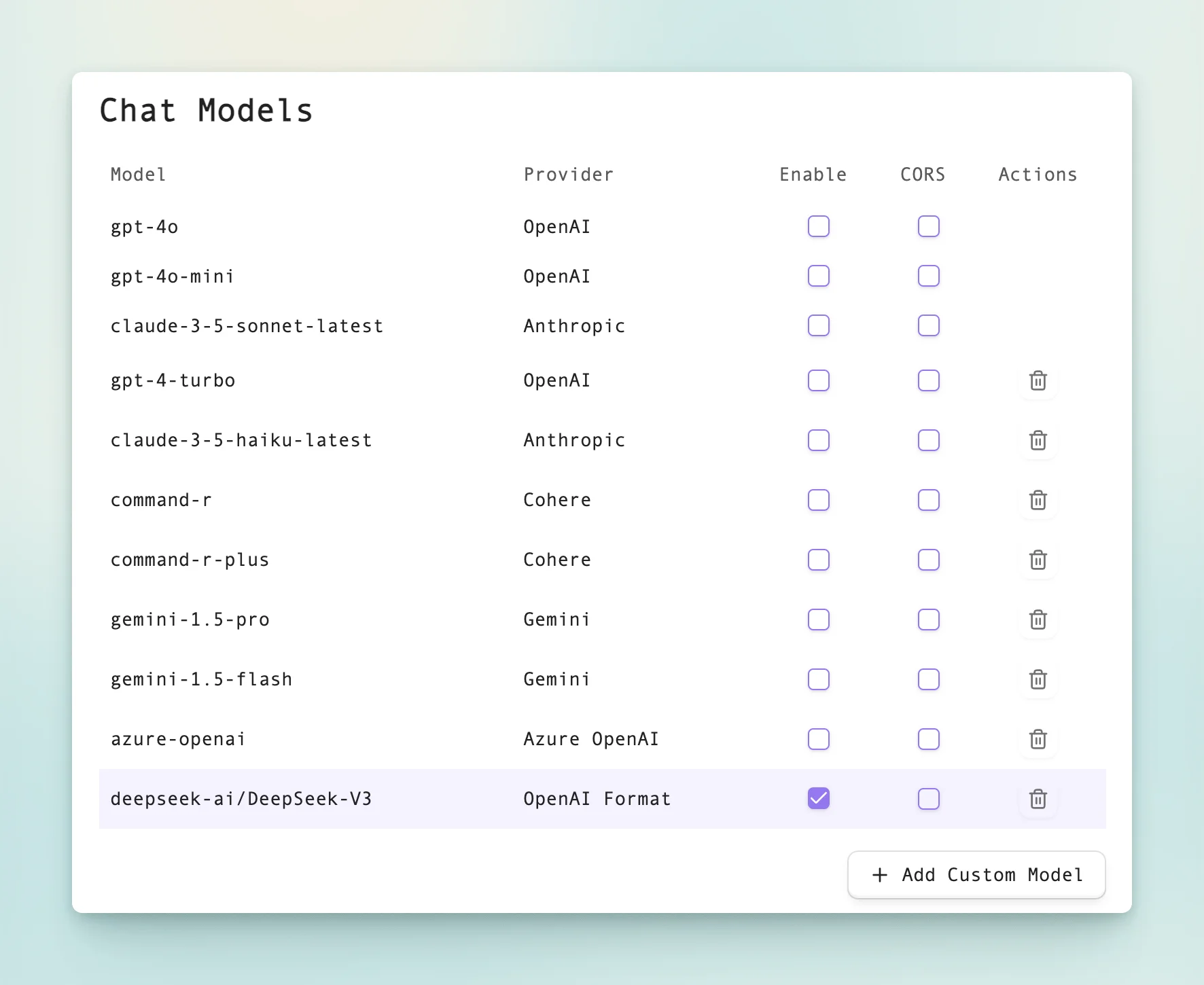
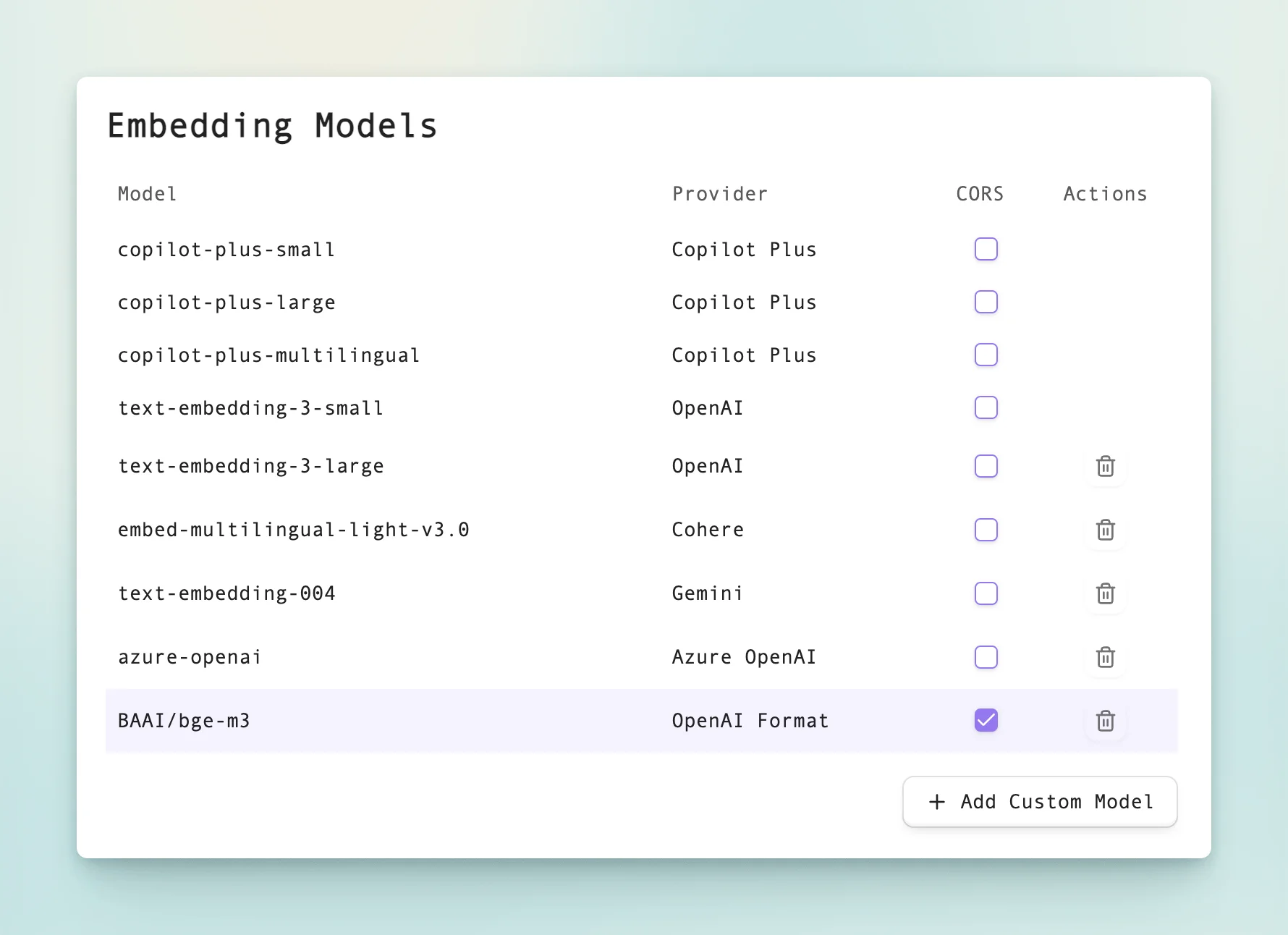
After enabling it, set these two new models as the default model in the Basic tab.
6. Test Q&A on Obsidian knowledge base
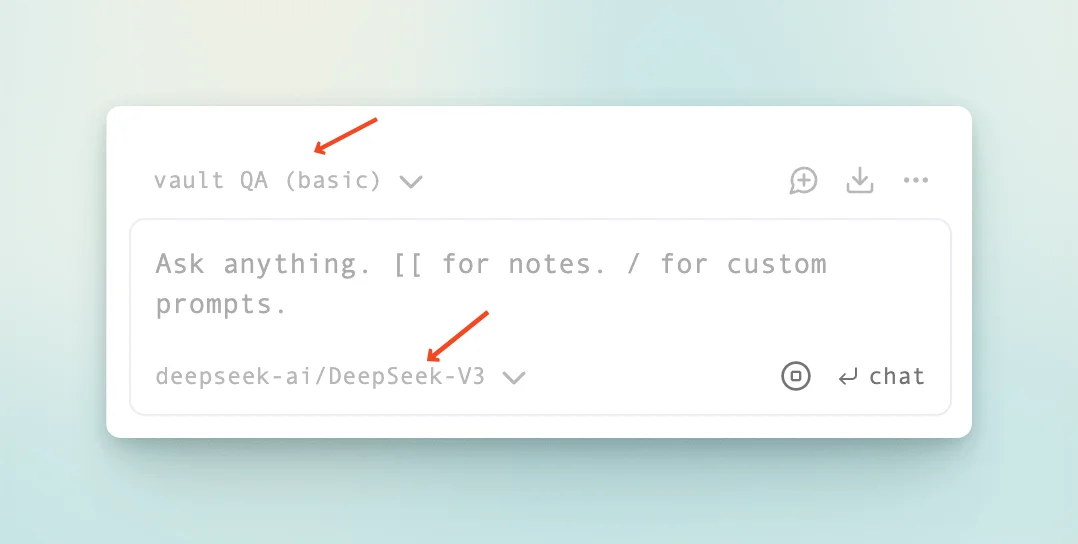
Click the new-chat button in the Obsidian sidebar to open the chat panel. Set the mode to Vault QA and the model to DeepSeek-V3, then start asking questions about your knowledge base.
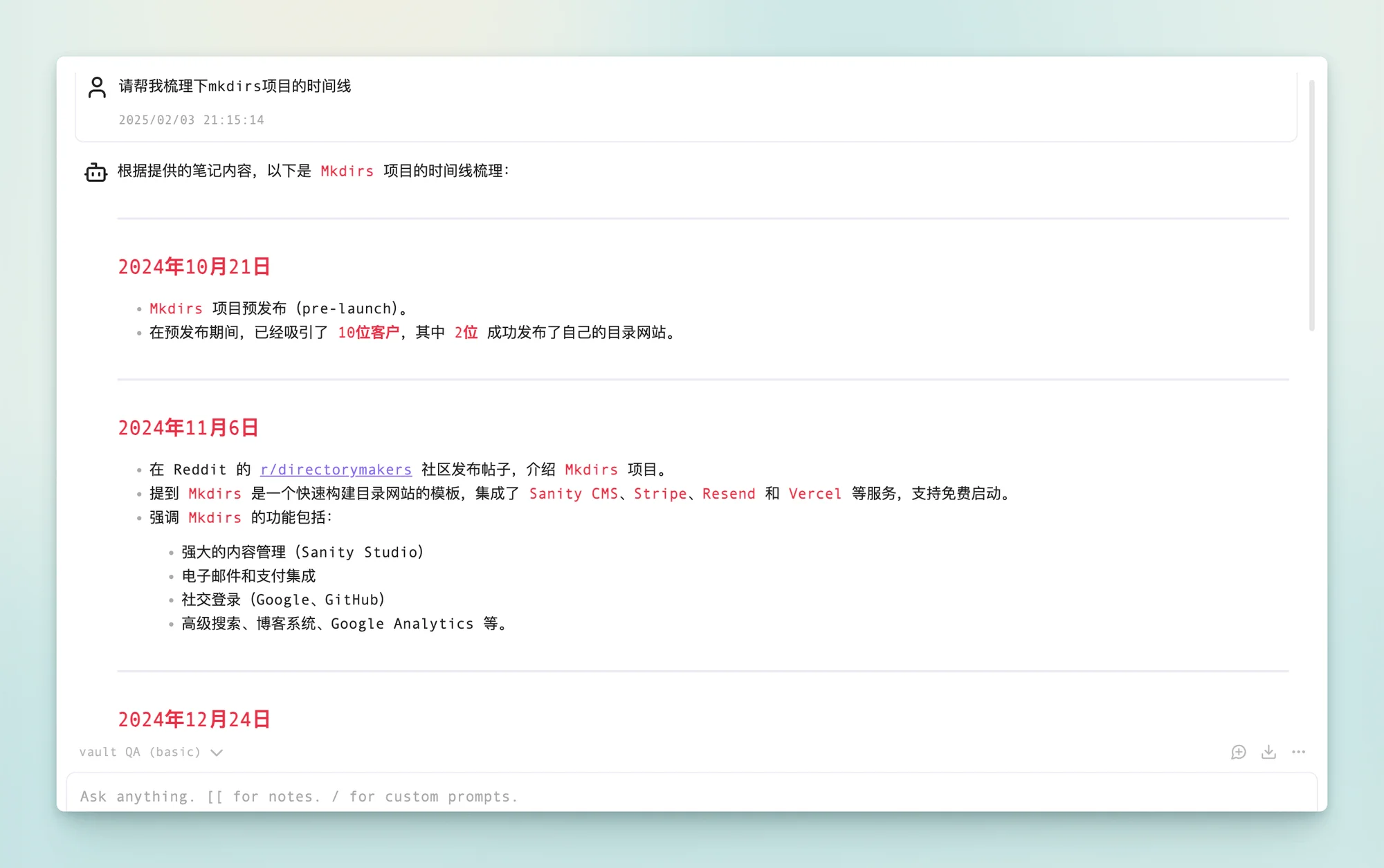
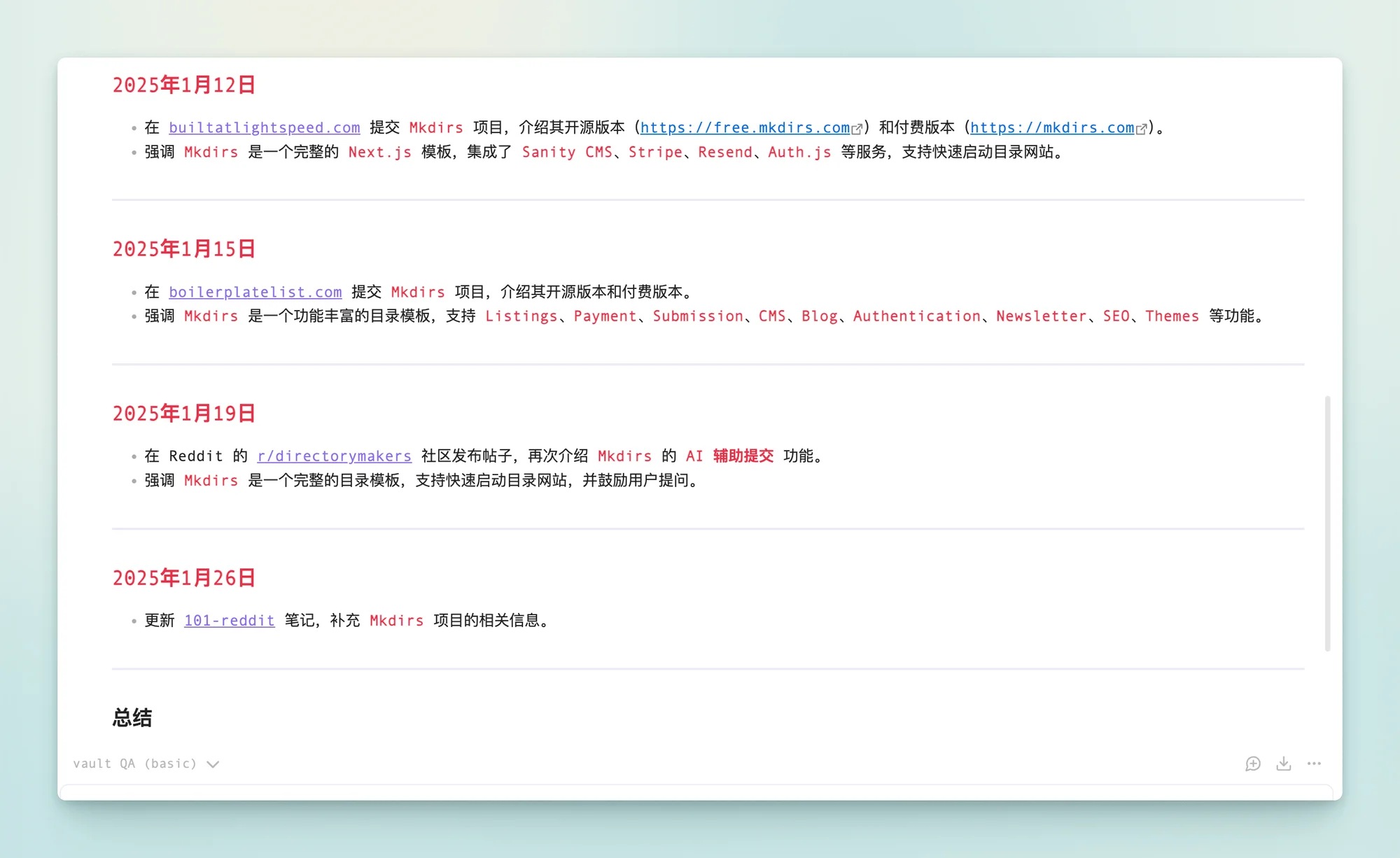
I asked it to "organize the Mkdirs project timeline," and its answer was surprisingly accurate. Mkdirs was indeed released on October 21, 2024, and it listed the Reddit communities where I posted and when. I had recorded those posts in my notes. It is remarkable to have an assistant like this.
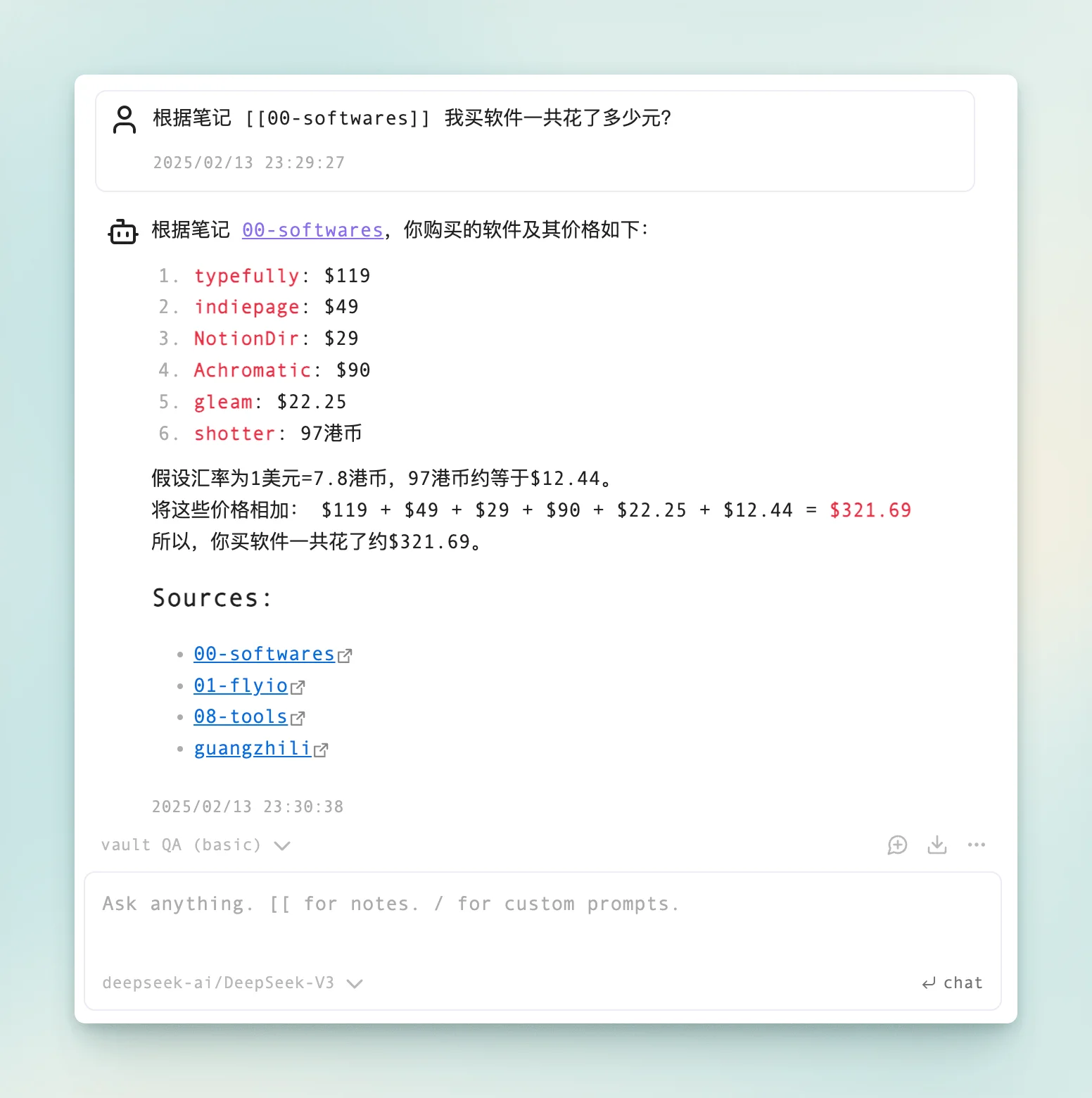
In another example, I asked it to calculate how much I spent on software and services last year, and it did a good job.
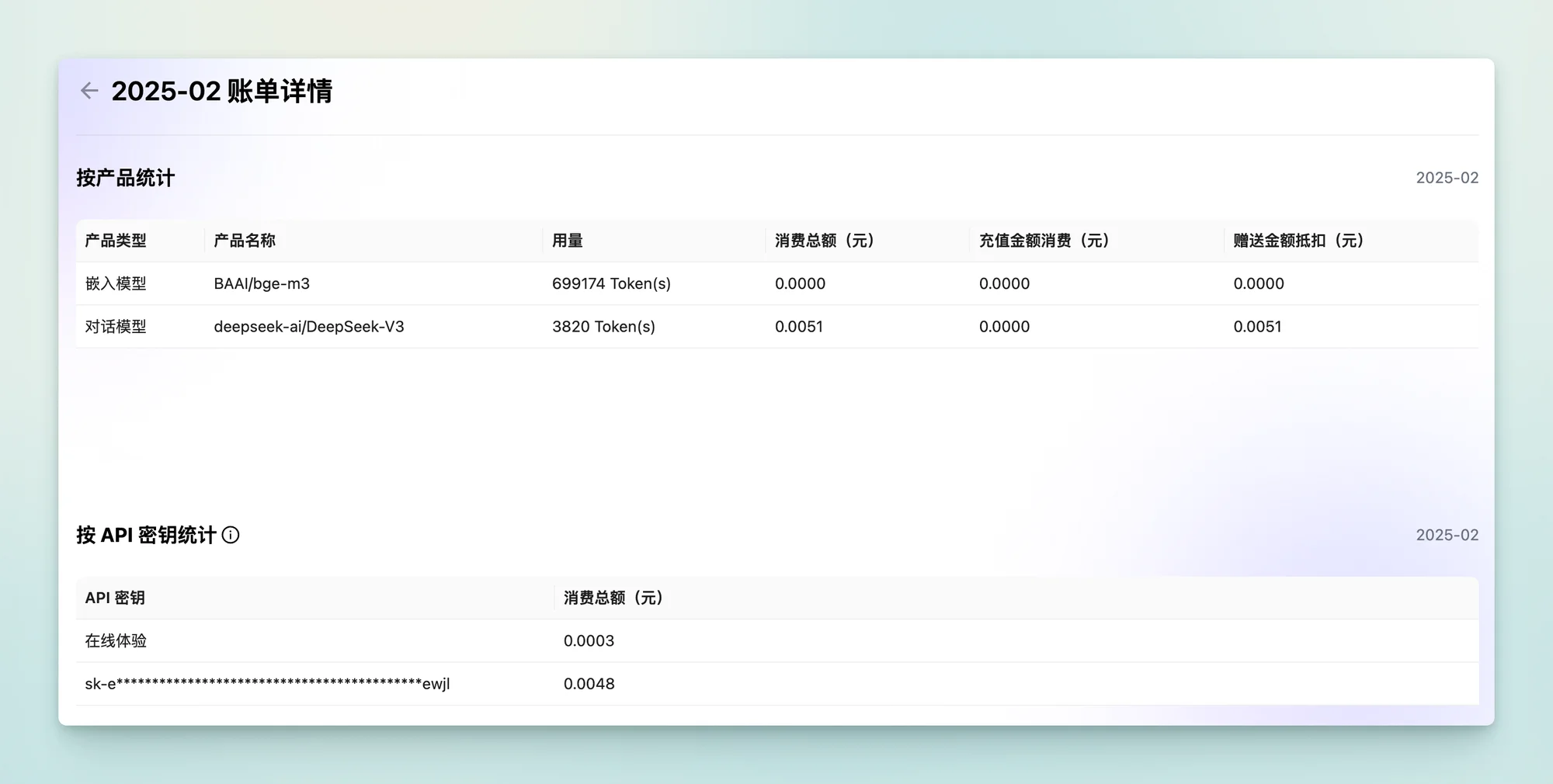
After a Q&A session, SiliconFlow shows your token usage. The consumption is quite low, so the credits should last a long time.
If, like me, you use Obsidian heavily and want to build a simple personal knowledge base, give this approach a try. You can use the referral link above to register for SiliconFlow, so we can both receive 20 million tokens and use the service for longer.